
Set a settlement cap
As an admin, configure the global RebateLedger settlement cap — a hard ceiling that stops a settlement paying out beyond what the claims support.
The settlement cap is a financial guardrail: a hard ceiling that stops a settlement from paying out more than the underlying claims actually support. It's the kind of control you set once and are glad of the day it catches something.
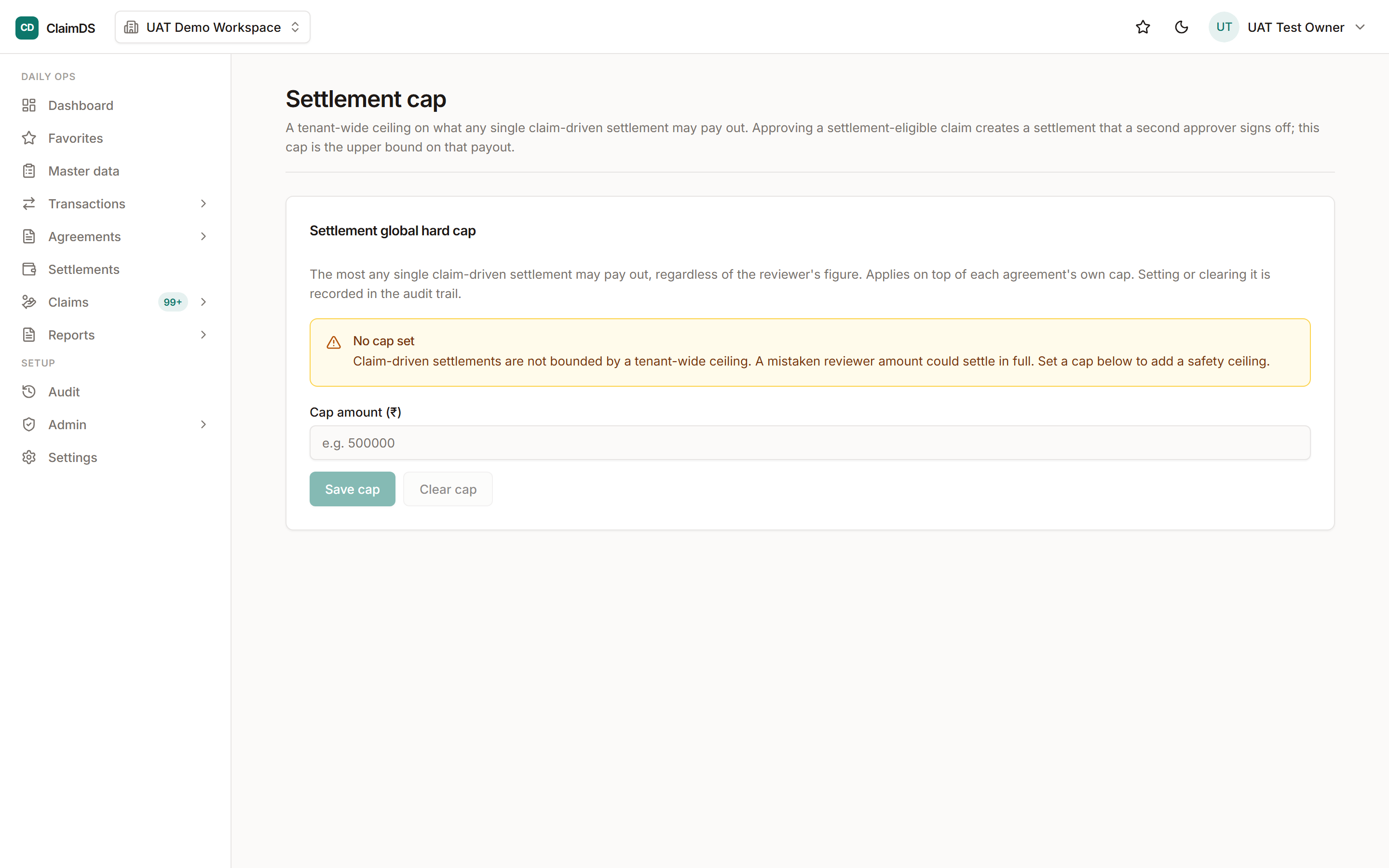
Admin → Settlement cap: the ceiling applied to settlement runs.
A ceiling, not a target
The cap isn't a number you aim for — it's a limit you don't cross. Tied to what the claims support, it's there to block an over-payment from slipping through, so a mistake upstream doesn't become money out the door.
Configure it
Follow the numbered steps below. The cap works alongside the normal settlement review; it's an admin-only setting (access).
Step-by-step
Open the settlement-cap setting
From the admin area, open the settlement cap configuration. It's a global, workspace-level control over how much a settlement is allowed to pay out.
Understand what the cap does
The cap is a hard ceiling tied to what the underlying claims support, so a settlement can't quietly pay out more than is genuinely backed by claims. It's a guardrail against an over-payment slipping through.
Set the cap to match your policy
Configure the cap to reflect how conservative your finance policy is. A tighter cap blocks more aggressively; set it to where you want the safety net to catch.
Confirm and let it enforce
Save the setting. From then on, settlements are checked against the cap automatically — an attempt to exceed it is stopped rather than waved through.
Revisit as your business scales
Review the cap periodically. As your claim volumes grow, the right ceiling may shift; keeping it current keeps the guardrail useful rather than obstructive.
Frequently asked
What happens if a settlement would exceed the cap?
It's stopped. The cap is a hard ceiling, so a settlement that would pay out beyond what the claims support is blocked rather than allowed through — by design.
Is the cap per agreement or global?
It's a global, workspace-level control. It applies as an overall guardrail rather than being set per individual agreement.
Still stuck?
Book a demo and we'll walk through it on your own data — or just talk to us.