
Add a material
Add a material or SKU to RebateLedger master data with its code, name, HSN and unit of measure, so agreements, claims and invoices share one catalogue.
Materials are your product catalogue inside RebateLedger. Because agreements target materials and invoice lines reference them, a clean catalogue — correct codes, HSNs and units — is what lets rebates accrue against the right products and settle with the right tax.
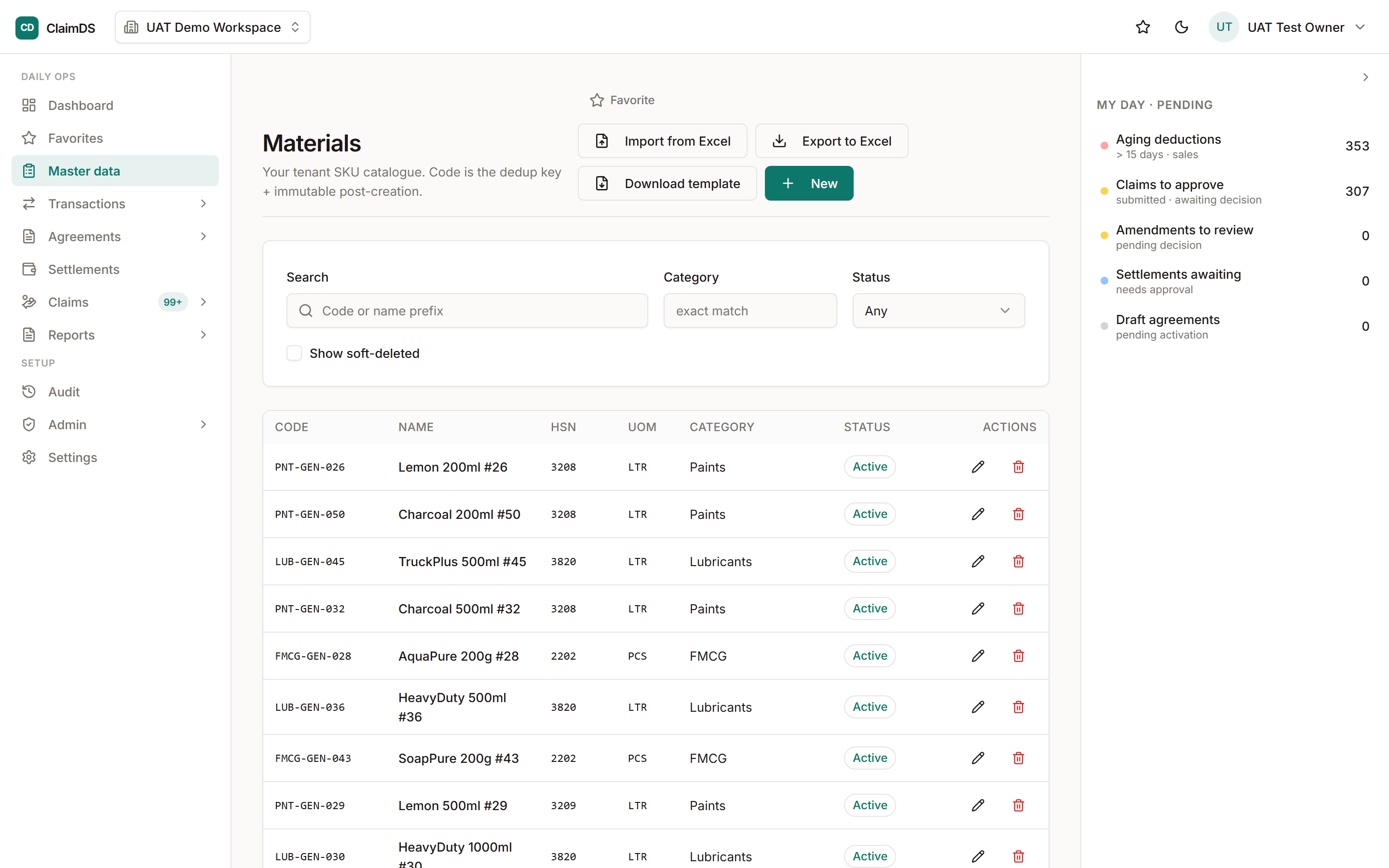
Master Data → Materials: your product catalogue, with options to add one or import in bulk.
What a material carries
Each material has a code (how transactions refer to it), a name, an HSN (its tax classification) and a unit of measure. Those four keep the item consistent everywhere it's used — from the agreement that rebates it to the invoice that sells it.
Add the material
Follow the numbered steps below. To load a whole catalogue at once, see import your data from Excel.
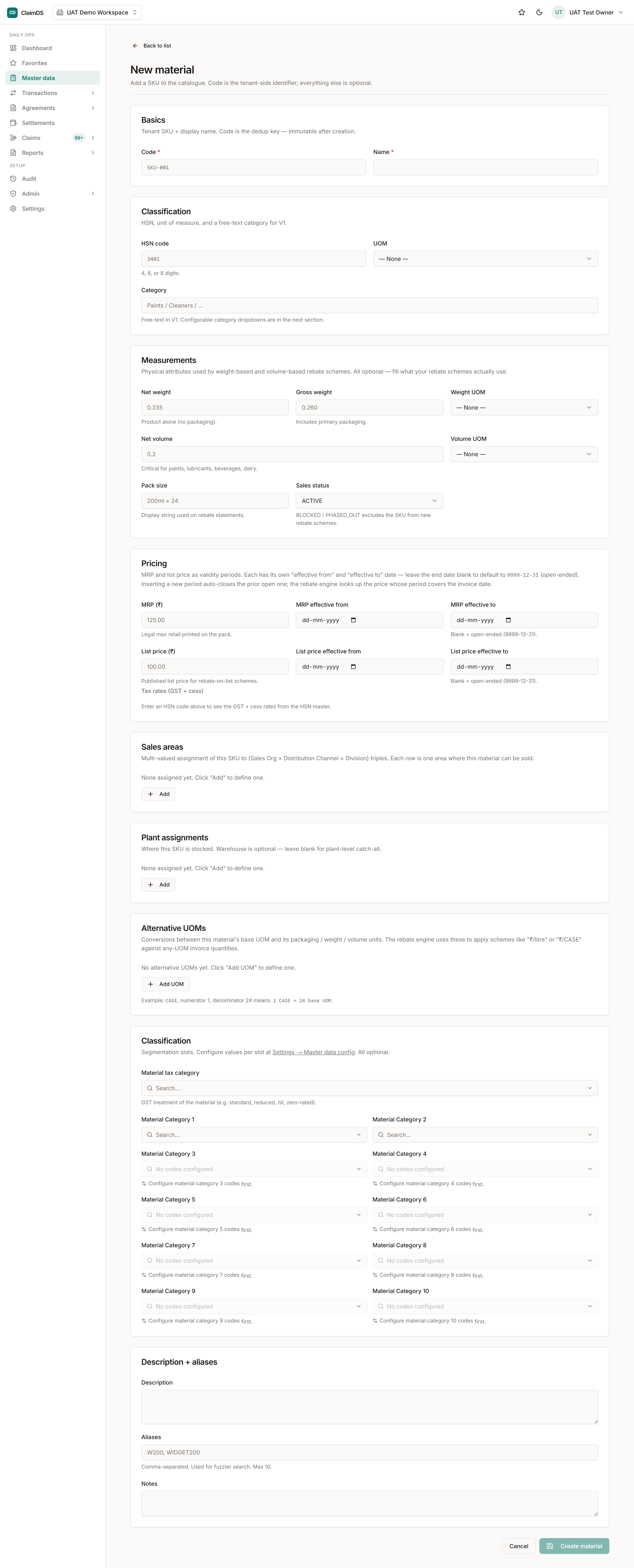
The New material form — code and name at the top, then HSN, unit of measure and pricing below.
Step-by-step
Open Master Data → Materials
Go to Master Data and choose Materials. This is your product catalogue — the SKUs that agreements target and that invoice lines reference.
Create a new material
Choose New and enter the material's code and name. The code is how invoices and agreements refer to the item, so use the one your transactions actually carry.
Add the HSN and unit of measure
Enter the HSN classification and the unit of measure (UOM). The HSN drives tax classification, and the UOM keeps quantities consistent between invoices, claims and settlements.
Save
Save the material. It's now selectable when you define which products an agreement covers and when you load invoices, so the whole chain references one catalogue entry.
Frequently asked
Why does a material need an HSN?
The HSN classifies the item for tax. Keeping it on the material means credit notes and tax treatment derive from one place rather than being re-entered per document.
Can I import materials in bulk?
Yes — like counterparties, materials can be imported from Excel with validation, which is the usual way to load a full catalogue.
Still stuck?
Book a demo and we'll walk through it on your own data — or just talk to us.